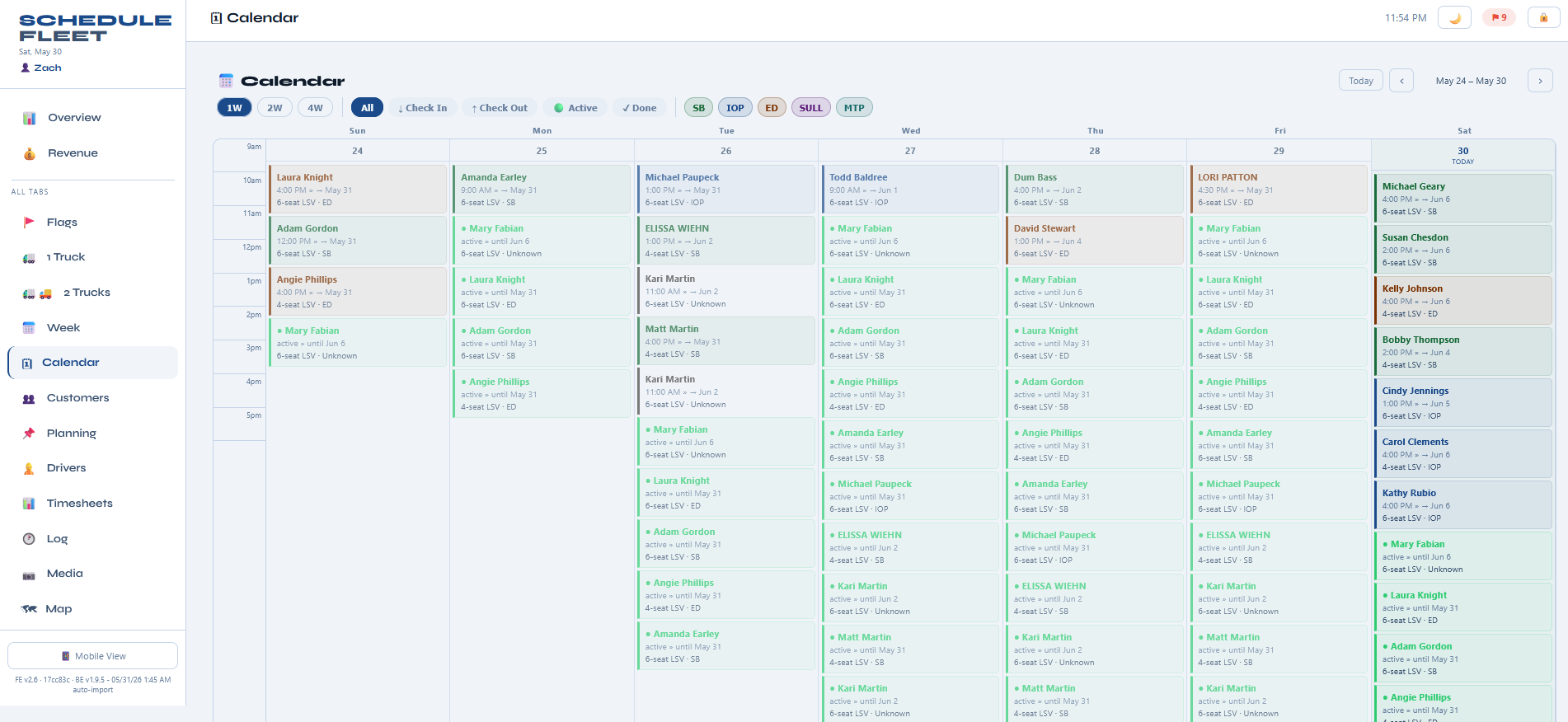
Live week view — every rental color-coded by zone, filterable by status or driver.
What's included
- Day, week, and month views
- Filter by zone, status, driver, or customer
- Color-coded by zone (matches your map and run sheet)
- Drag a rental to reschedule and the run updates
- Quick search by name, address, or phone
- iCal feed for Google / Apple Calendar sync
One calendar, not five tabs
Most operators juggle their booking platform, a notes doc, and a group text. Golf Cart Rental Software's calendar is the single source of truth — drop-offs, pickups, maintenance windows, and driver shifts all overlay on the same view.
Filter by what actually matters
Need to see only Edisto rentals next week? Only carts assigned to Mike? Only rentals with deposits not collected? Filter combinations are a click away.
Reschedule by drag
When a customer pushes a delivery a day, drag the card. The daily run rebuilds, the driver's mobile view updates, and the customer notification fires automatically.
Built for
In the field
Golf cart rental markets
Why operators pick Golf Cart Rental Software
Built for the way coastal rentals actually run.
Personal onboarding on a call: your carts, zones, prices and drivers, plus a live walkthrough for your drivers.
Founding customers get 3 months free. Plans scale with fleet size, with no per-driver seat fees.
See pricingEvery part of this product came out of running a real coastal rental fleet — not a generic SaaS template repackaged for golf carts.
See the case studyHow real fleets put it to work
Most rental software was designed for warehouses, costume shops, or tools — not for fleets that move every morning, get rained on, and lose tags in the dunes. Golf Cart Rental Software started inside an actual coastal golf cart rental business, so the workflow matches the way a real operator already thinks: by zone, by truck, by driver shift, by cart condition. Nothing here is a generic feature bolted on to look good in a feature matrix — every piece exists because a fleet owner needed it on a Saturday morning in July.
Drivers stop asking “what's next?” because the route is on their phone. Nobody calls the yard to ask where cart #14 is, because the map already shows it. And nobody rebuilds a routing spreadsheet every morning, because the day's runs are already laid out by zone.
Switching from another booking tool or a stack of spreadsheets? We set it up with you — carts, zones, prices and drivers — and white-glove migration is included for founding customers.
Questions operators ask
See it running on your fleet
Personal onboarding included.