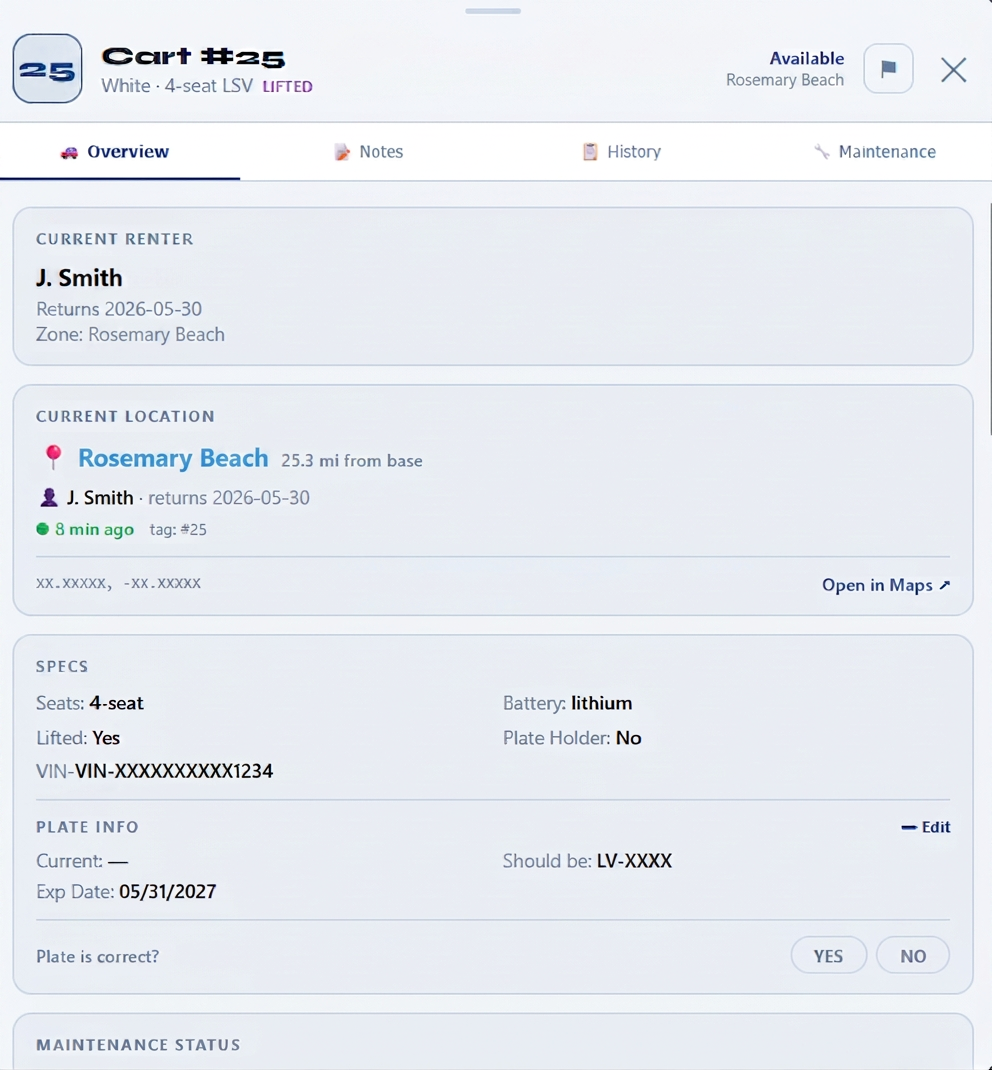
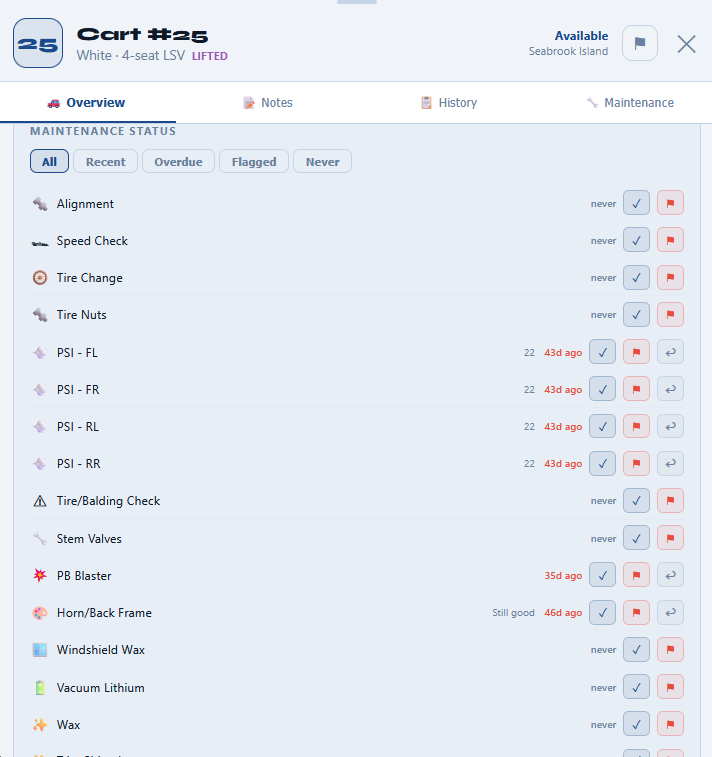
Per-cart detail and the full maintenance checklist inside Golf Cart Rental Software.
What's included
- Per-cart service history with photos and notes
- Interval-based reminders (PSI, tires, batteries, brakes)
- Full-fleet scrub schedule and detail tracking
- Mark a cart 'needs attention' from any screen
- Maintenance flags block a cart from being scheduled
- Battery health tracking for electric fleets
Service intervals that actually fire
Set 'rotate tires every 90 days' or 'check PSI every 14 days' once per cart, and Golf Cart Rental Software surfaces the work the morning it's due. No more discovering a flat at the customer's house.
Block scheduling on broken carts
Flag a cart 'needs attention' and it disappears from available inventory until the issue is closed out. Your scheduler physically can't book it — which means no surprises on delivery morning.
Built for electric and gas fleets
Track battery cycle counts and voltage on electric carts. Track oil changes and fuel on gas. Customize the maintenance template per cart model.
Built for
In the field
Golf cart rental markets
Why operators pick Golf Cart Rental Software
Built for the way coastal rentals actually run.
Personal onboarding on a call: your carts, zones, prices and drivers, plus a live walkthrough for your drivers.
Founding customers get 3 months free. Plans scale with fleet size, with no per-driver seat fees.
See pricingEvery part of this product came out of running a real coastal rental fleet — not a generic SaaS template repackaged for golf carts.
See the case studyHow real fleets put it to work
Most rental software was designed for warehouses, costume shops, or tools — not for fleets that move every morning, get rained on, and lose tags in the dunes. Golf Cart Rental Software started inside an actual coastal golf cart rental business, so the workflow matches the way a real operator already thinks: by zone, by truck, by driver shift, by cart condition. Nothing here is a generic feature bolted on to look good in a feature matrix — every piece exists because a fleet owner needed it on a Saturday morning in July.
Drivers stop asking “what's next?” because the route is on their phone. Nobody calls the yard to ask where cart #14 is, because the map already shows it. And nobody rebuilds a routing spreadsheet every morning, because the day's runs are already laid out by zone.
Switching from another booking tool or a stack of spreadsheets? We set it up with you — carts, zones, prices and drivers — and white-glove migration is included for founding customers.
Questions operators ask
See it running on your fleet
Personal onboarding included.